

Description
Download Tutal Mail – Secure Private Email App
Overview: Why Tutal Mail Stands Out in a Crowded Email Market
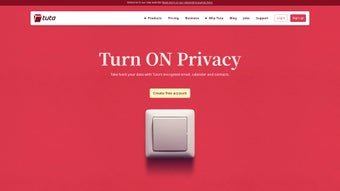
Tutal Mail is a free, open‑source email client that puts privacy, security, and sustainability at the core of its design. In an era where data breaches and targeted advertising have become routine, Tutal Mail offers a refreshing alternative that does not require users to disclose personal identifiers such as phone numbers or real‑world addresses. The platform delivers end‑to‑end encryption not only for email messages but also for calendars and contacts, guaranteeing that only the intended recipients can read the content. Its encrypted address book and built‑in calendar mean that users can manage all their communication tools within a single, tightly secured environment.
Beyond the technical safeguards, Tutal Mail distinguishes itself through an eco‑friendly infrastructure. All servers powering the service run on renewable energy, reflecting a commitment to reduce the carbon footprint of digital communication. The user experience is ad‑free, eliminating distractions and the data‑mining practices common in many free email solutions. Whether you are a privacy‑conscious professional, a journalist protecting sources, or a casual user who simply wants to keep personal conversations out of the hands of marketers, Tutal Mail delivers a seamless, trustworthy experience across multiple platforms.
From a developer’s perspective, the open‑source nature of Tutal Mail means the codebase is transparent, auditable, and continuously improved by a community of security experts. Regular updates address emerging threats and add new features without compromising the core promise of anonymity. In short, Tutal Mail is more than just an email client; it is a privacy‑first ecosystem that respects user data, supports sustainable computing, and provides a robust set of tools for modern digital life.
Core Features That Make Tutal Mail a Comprehensive Privacy Tool
- End‑to‑End Encryption: All emails, calendar entries, and contacts are encrypted on the client side before they ever leave your device. Only the intended recipient can decrypt the content, ensuring confidentiality even if the server is compromised.
- Encrypted Address Book: Your contacts are stored in an encrypted database, preventing unauthorized access to names, email addresses, or additional metadata.
- Secure Calendar Integration: Schedule meetings and set reminders without exposing details to third‑party services. Calendar data is encrypted alongside your emails.
- Open‑Source Transparency: The full source code is publicly available on GitHub, allowing independent security audits and community‑driven improvements.
- Renewable‑Energy Powered Servers: Tutal Mail’s backend runs on green energy, aligning your digital communication with environmental responsibility.
- Ad‑Free Experience: No hidden revenue streams, tracking pixels, or targeted ads—just a clean interface focused on delivering your messages securely.
- Cross‑Platform Availability: Native applications for Windows, macOS, and Android ensure a consistent experience regardless of device.
- Anonymous Account Creation: Sign up without providing a phone number, personal address, or other identifying information, preserving anonymity from day one.
- Regular Security Updates: The development team releases frequent patches to address vulnerabilities and incorporate the latest encryption standards.
- Simple UI with Advanced Controls: While the interface remains intuitive for newcomers, power users can fine‑tune encryption settings, manage keys, and customize security policies.
Each of these features works together to create a holistic privacy ecosystem. For instance, the encrypted address book pairs naturally with the end‑to‑end encrypted emails, eliminating the risk of leaking contact information through metadata. Meanwhile, the renewable‑energy commitment adds a layer of corporate responsibility that many users find compelling when choosing a service they will rely on daily. The combination of technical rigor, user‑centric design, and ethical operation makes Tutal Mail a standout option in the competitive email client landscape.
Installation, Usage, and Compatibility: Getting Started on Any Device
Step‑by‑Step Installation Guide
Installing Tutal Mail is straightforward, regardless of whether you are on a Windows PC, a macOS laptop, or an Android smartphone. Follow these steps to get up and running:
- Visit the Official Website: Navigate to tutalmail.org and locate the download button for your operating system.
- Download the Installer: For Windows, you’ll receive an .exe file; macOS users get a .dmg package; Android users download an .apk from the site (or via the Google Play Store if listed).
- Run the Installer: On Windows, double‑click the .exe and follow the wizard prompts. macOS users drag the Tutal Mail icon into the Applications folder. Android users tap the .apk, enable “Install unknown apps” if necessary, and confirm the installation.
- Create an Anonymous Account: Launch the app, click “Create New Account,” and choose a username and strong password. No phone number or personal email is required.
- Generate Encryption Keys: The application automatically creates a public/private key pair. Store the private key securely; you can export it for backup.
- Import Contacts and Calendar Events: Use the encrypted address book and calendar modules to add contacts and schedule events, all of which are stored locally in encrypted form.
Daily Usage Tips and Best Practices
Once installed, using Tutal Mail mirrors the experience of conventional email clients, but with a few privacy‑focused nuances. When composing a new message, you’ll see an “Encrypt” toggle—ensure it remains on for every email you send. The client also supports PGP‑compatible keys, so you can exchange encrypted messages with users of other secure mail services. For calendar entries, select the “Private” option to keep meeting details encrypted. Regularly check for updates in the “Settings & Updates” menu; the development team releases patches that improve performance and security.
Operating System Compatibility (itemprop="operatingSystem")
Tutal Mail is officially supported on the following platforms:
- Windows 10 and later (64‑bit): Full desktop client with native notifications.
- macOS 11 (Big Sur) and later: Optimized for Apple Silicon and Intel processors.
- Android 8.0 (Oreo) and later: Mobile app with push notifications and offline caching.
While a Linux client is not yet released, the open‑source code can be compiled for most distributions, and the web‑based interface works in any modern browser. Compatibility across these major operating systems ensures you can stay protected whether you work from a home office, a corporate laptop, or a mobile device on the go.
Pros, Cons, and Frequently Asked Questions (FAQ)
Pros and Cons (itemprop="review")
- Pros:
- True end‑to‑end encryption for email, contacts, and calendar.
- Anonymous account creation without personal data.
- Ad‑free and privacy‑first user experience.
- Open‑source code enables community audits.
- Servers powered by renewable energy.
- Cross‑platform availability (Windows, macOS, Android).
- Cons:
- No official iOS app (currently limited to Android).
- Limited third‑party integrations compared to mainstream providers.
- Learning curve for users unfamiliar with encryption keys.
- Web interface is in beta and may lack some desktop features.
FAQ – Your Privacy Questions Answered (itemscope itemtype="https://schema.org/FAQPage")
Is Tutal Mail really free, or are there hidden costs?
Tutal Mail is 100 % free to download and use. There are no subscription fees, no premium tiers, and no hidden charges. The project is funded by donations and grants that support its renewable‑energy servers and ongoing development.
How does end‑to‑end encryption work in Tutal Mail?
When you create an account, Tutal Mail generates a public‑private key pair on your device. Your public key is stored on the server, while the private key never leaves your device. Emails are encrypted with the recipient’s public key before they are sent, and only the matching private key can decrypt them, ensuring that even the server cannot read the content.
Can I import existing contacts and calendar events?
Yes. Tutal Mail provides import tools for CSV contacts and iCal files. During import, all data is encrypted automatically, so you retain the privacy benefits without manual re‑entry.
Is my data stored on servers located outside my country?
Tutal Mail’s servers are hosted in multiple regions, all powered by renewable energy. While the physical location may vary, the data is always encrypted at rest, meaning the server operators cannot read your messages regardless of jurisdiction.
What happens if I lose my private encryption key?
Losing the private key means you can no longer decrypt received messages. For this reason, Tutal Mail strongly recommends exporting and securely backing up the key in a password‑protected file or a hardware security module.
Conclusion: Secure Your Communication with Tutal Mail Today
Tutal Mail delivers on its promise of a truly private, secure, and sustainable email solution. By combining robust end‑to‑end encryption, an ad‑free interface, and renewable‑energy powered servers, it addresses the most pressing concerns of modern digital communication. While the absence of an iOS client and a modest learning curve for key management may deter some casual users, the benefits for privacy‑focused individuals, journalists, and businesses far outweigh these minor drawbacks.
If you value anonymity, want to avoid data‑mining advertising, and are committed to environmentally responsible services, Tutal Mail is an excellent choice. The free, open‑source nature ensures continuous improvement and transparency, giving you confidence that your messages remain confidential now and in the future.
Ready to protect your inbox? Download Tutal Mail now and experience a secure, private email platform built for the modern user.
Guides & Tutorials for Tutal Mail
How to install Tutal Mail
- Click the Preview / Download button above.
- Once redirected, accept the terms and click Install.
- Wait for the Tutal Mail download to finish on your device.
How to use Tutal Mail
This software is primarily used for its core features described above. Open the app after installation to explore its capabilities.
User Reviews for Tutal Mail 0
No reviews found





.webp)